> For the complete documentation index, see [llms.txt](https://ask.birdie.ai/llms.txt). Markdown versions of documentation pages are available by appending `.md` to page URLs; this page is available as [Markdown](https://ask.birdie.ai/admin-and-settings/taxonomy/areas.md).
# Areas
## Overview
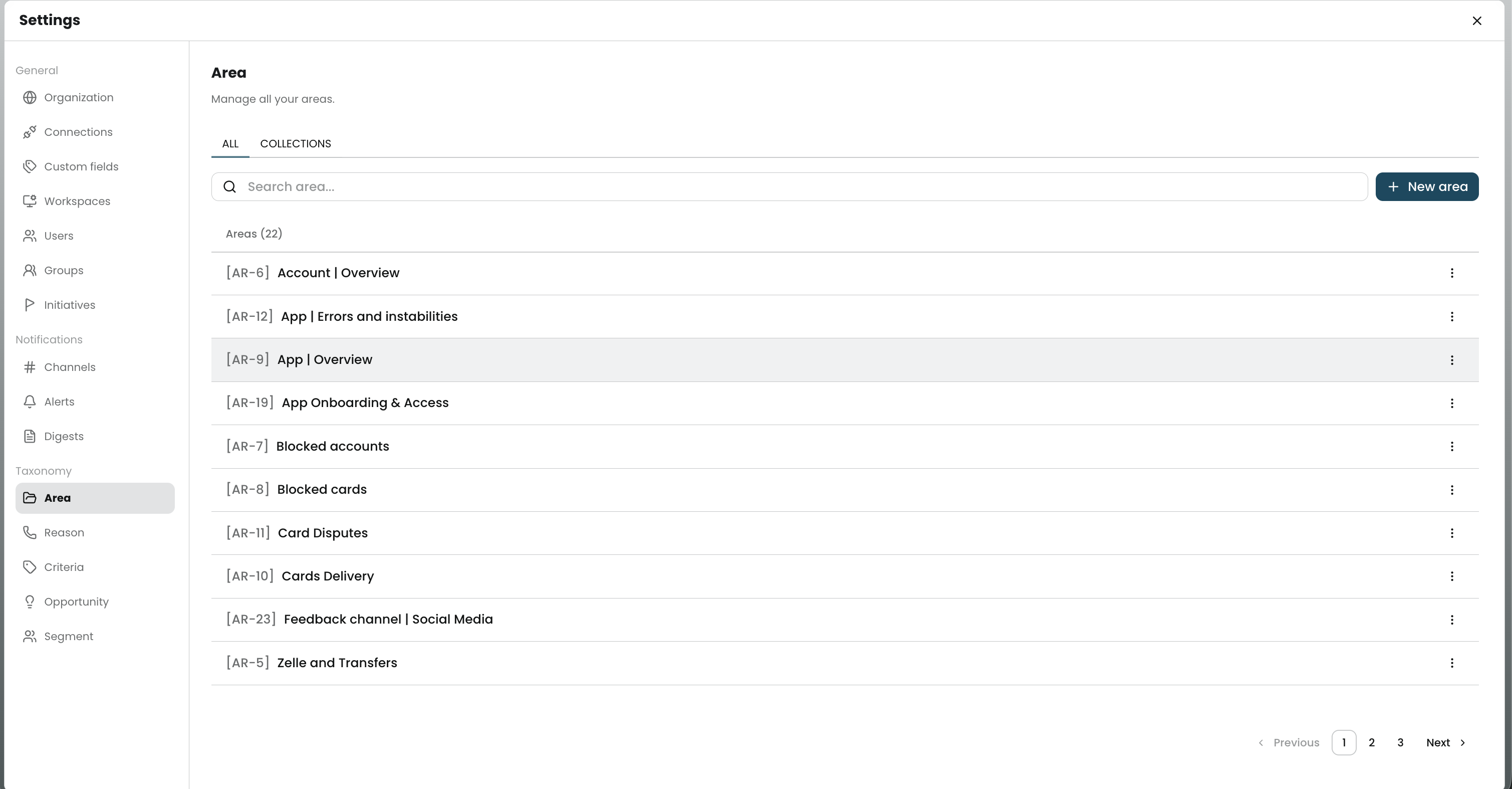
The **Areas** taxonomy page is where you manage all Area records in Birdie Settings.
Areas are one of the core taxonomy types in Birdie. They help you organize broad themes found in customer feedback.
This page centralizes the operational work of managing Areas as taxonomy items. Use it to review your catalog, create new Areas, and organize them into collections.
If you want the conceptual definition of an Area and how it behaves in analysis pages, see [Areas](/core-concepts-and-entities/areas.md).\
## Viewing & Searching
The main tab shows the full Area catalog as a list.
Each row includes:
* **Taxonomy ID**, such as `[AR-001]`
* **Area name**, such as `Billing experience`
Use this view to quickly scan your existing taxonomy and confirm naming patterns.
## Creating New Data
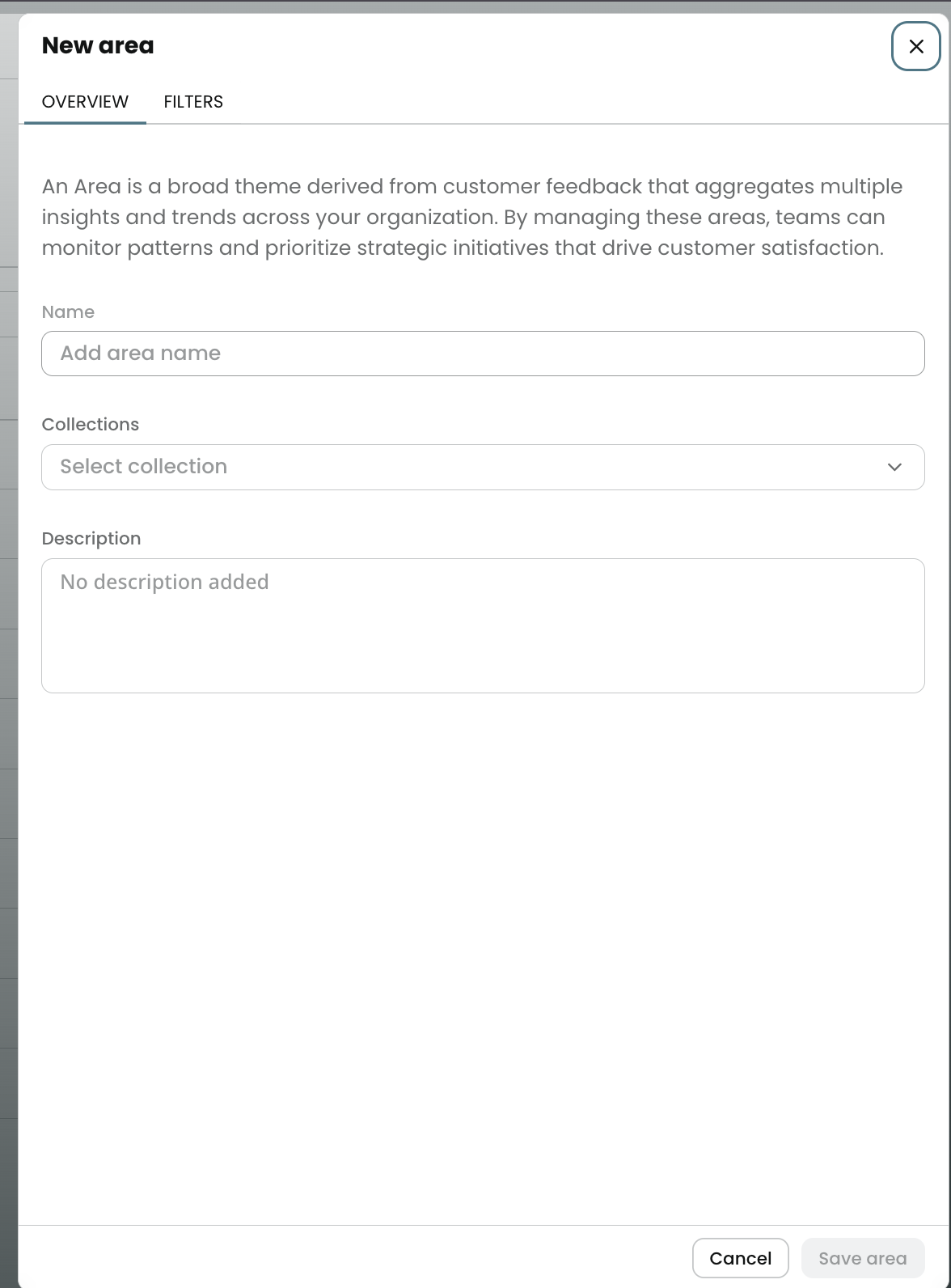
Click **New area** to create a new Area.
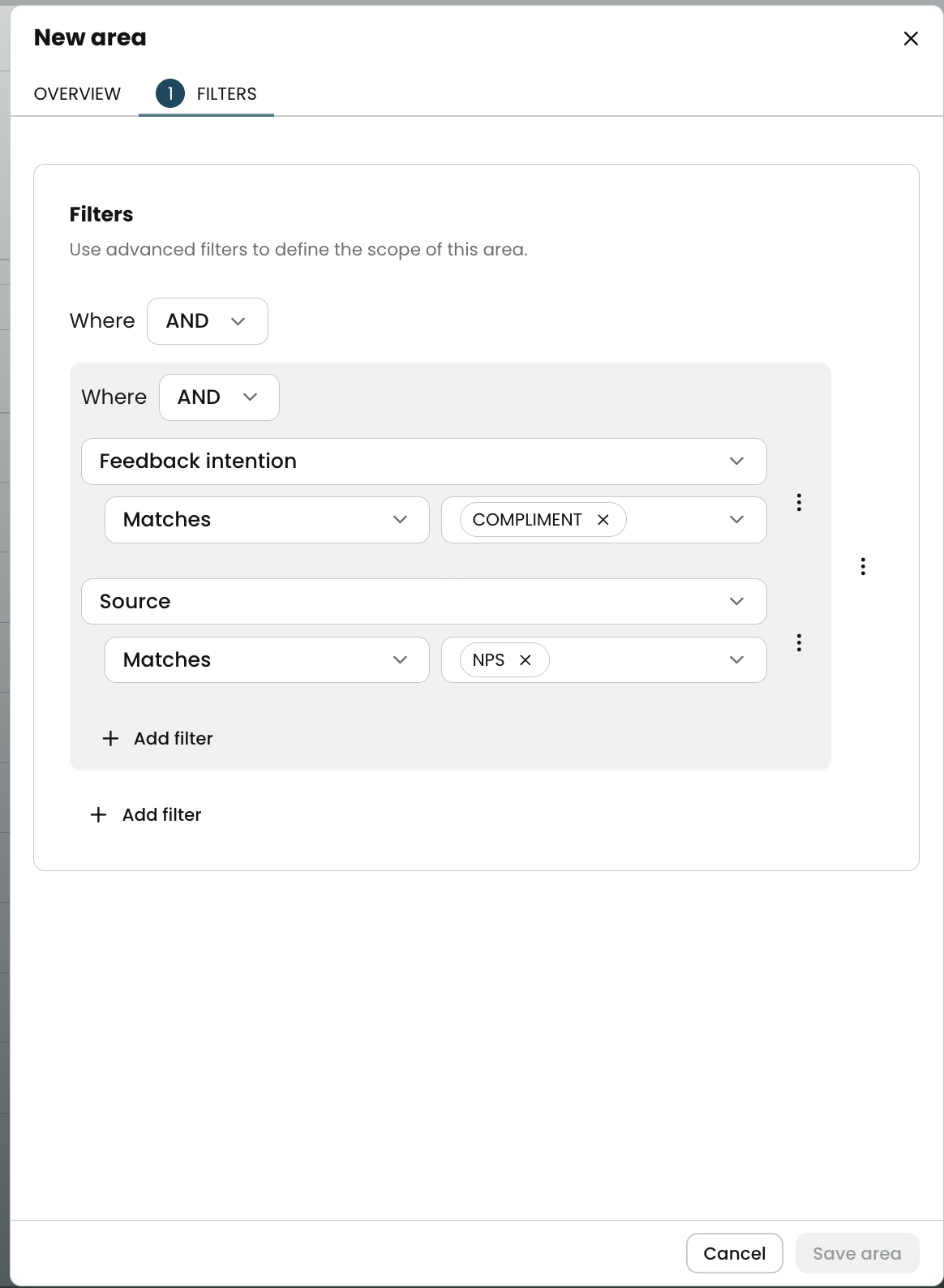
When creating a new Area:
1. Use a title that represents a theme.\
2. Define the data filter that represents this theme.\
3. Save the record to add it to the catalog.
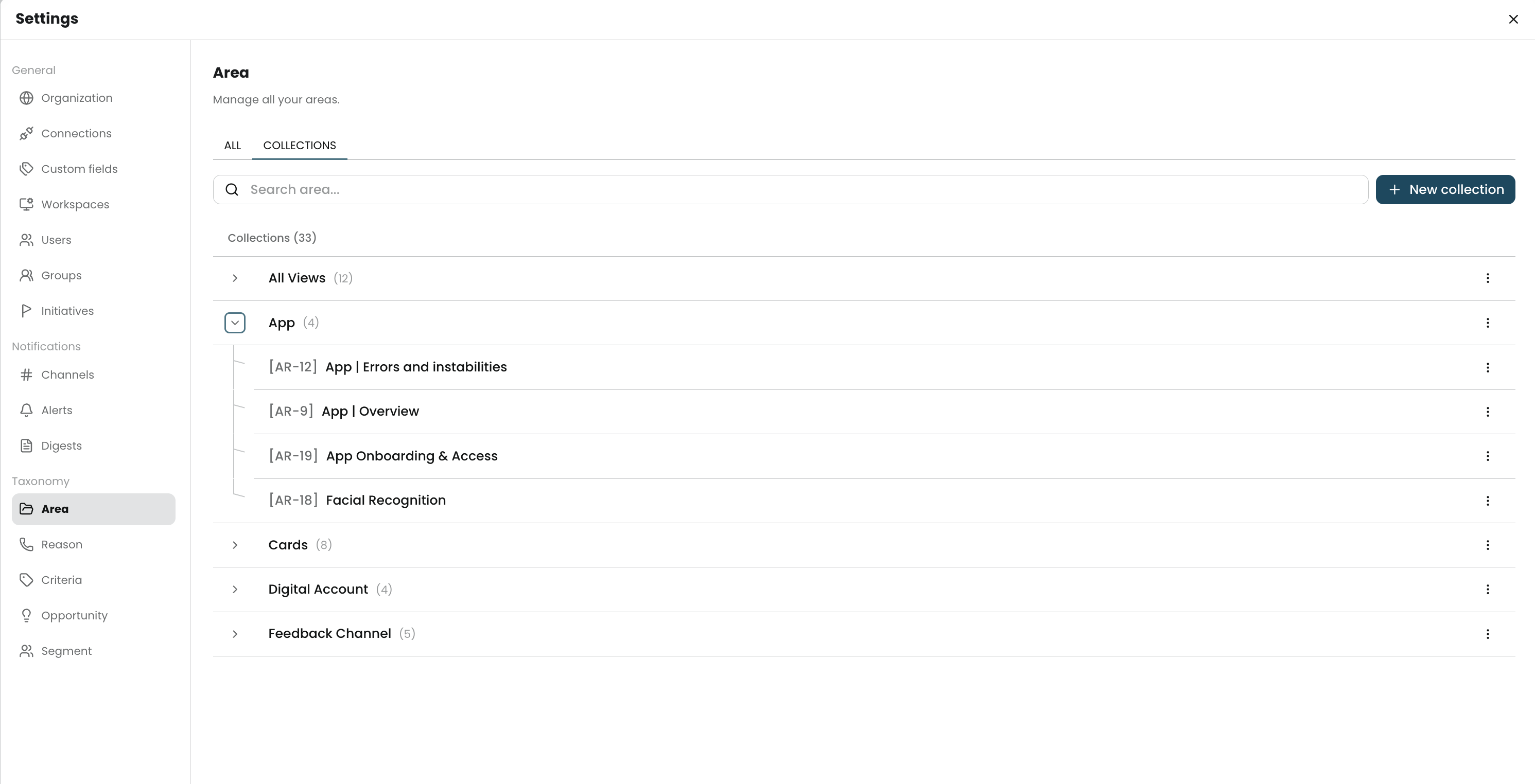
## Collections Tab
The second tab groups Areas by **Area collection**.\
This view helps you organize the taxonomy by product, journey, team, market, or another internal structure.
Use collections when you need to:
* keep related Areas together
* make navigation easier
* keep naming and ownership consistent
For broader collection concepts in Birdie, see [Collections](/core-concepts-and-entities/collections.md).
## Best Practices
* Use one Area per broad problem space.
* Keep names short and specific.
* Group Areas into collections that match how your teams work.
* Review duplicates before creating a new Area.
## Related Articles
* [Taxonomy](/admin-and-settings/taxonomy.md)
* [Areas](/core-concepts-and-entities/areas.md)
* [Collections](/core-concepts-and-entities/collections.md)
---
# Agent Instructions
This documentation is published with GitBook. GitBook is the documentation platform designed so that both humans and AI agents can read, navigate, and reason over technical content effectively. Learn more at gitbook.com.
## Querying This Documentation
If you need additional information that is not directly available in this page, you can query the documentation by asking a question.
Perform an HTTP GET request on the following URL with the `ask` and `goal` query parameters:
```
GET https://ask.birdie.ai/admin-and-settings/taxonomy/areas.md?ask=&goal=
```
`ask` is the immediate question: it should be specific, self-contained, and written in natural language.
`goal` is what the user is ultimately trying to achieve, the reason they need the answer. Sharing it helps GitBook give you a better, more relevant answer. A goal is most helpful when it describes the outcome the user wants rather than restating the question. For example, with `ask=how do I create an API token`, a goal like `automate deployments from our CI pipeline` lets GitBook tailor the answer to that use case.
The response will contain a direct answer to the question and relevant excerpts and sources from the documentation.
Use this mechanism when the answer is not explicitly present in the current page, you need clarification or additional context, or you want to retrieve related documentation sections.