> For the complete documentation index, see [llms.txt](https://ask.birdie.ai/llms.txt). Markdown versions of documentation pages are available by appending `.md` to page URLs; this page is available as [Markdown](https://ask.birdie.ai/integrations-and-data-ingestion/how-to-generate-an-api-key.md).
# How to generate an API Key
Birdie API keys are the credentials that authenticate your requests to the Birdie API, including the [Ingestion API](/integrations-and-data-ingestion/ingestion-api.md). Any organization administrator can create a key directly from the Birdie dashboard, with no request to the Birdie team required.
Follow this guide to generate a new key.
***
### How to Generate a New API Key
To create a new key, ensure you are logged into your Birdie account and follow these steps:
{% stepper %}
{% step %}
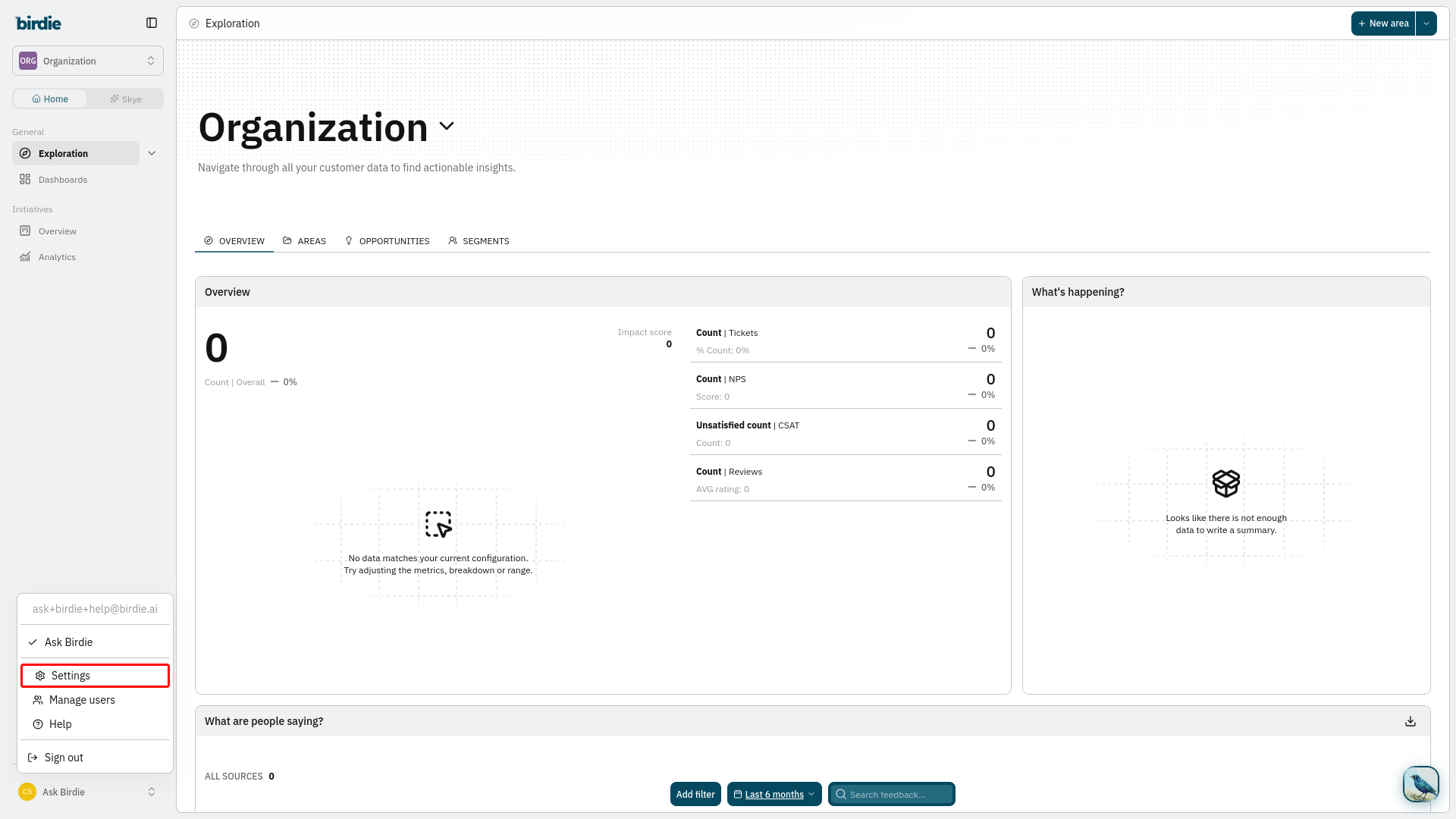
#### Navigate to Settings
* Use the sidebar to navigate to **your profile icon > Settings**.
{% endstep %}
{% step %}
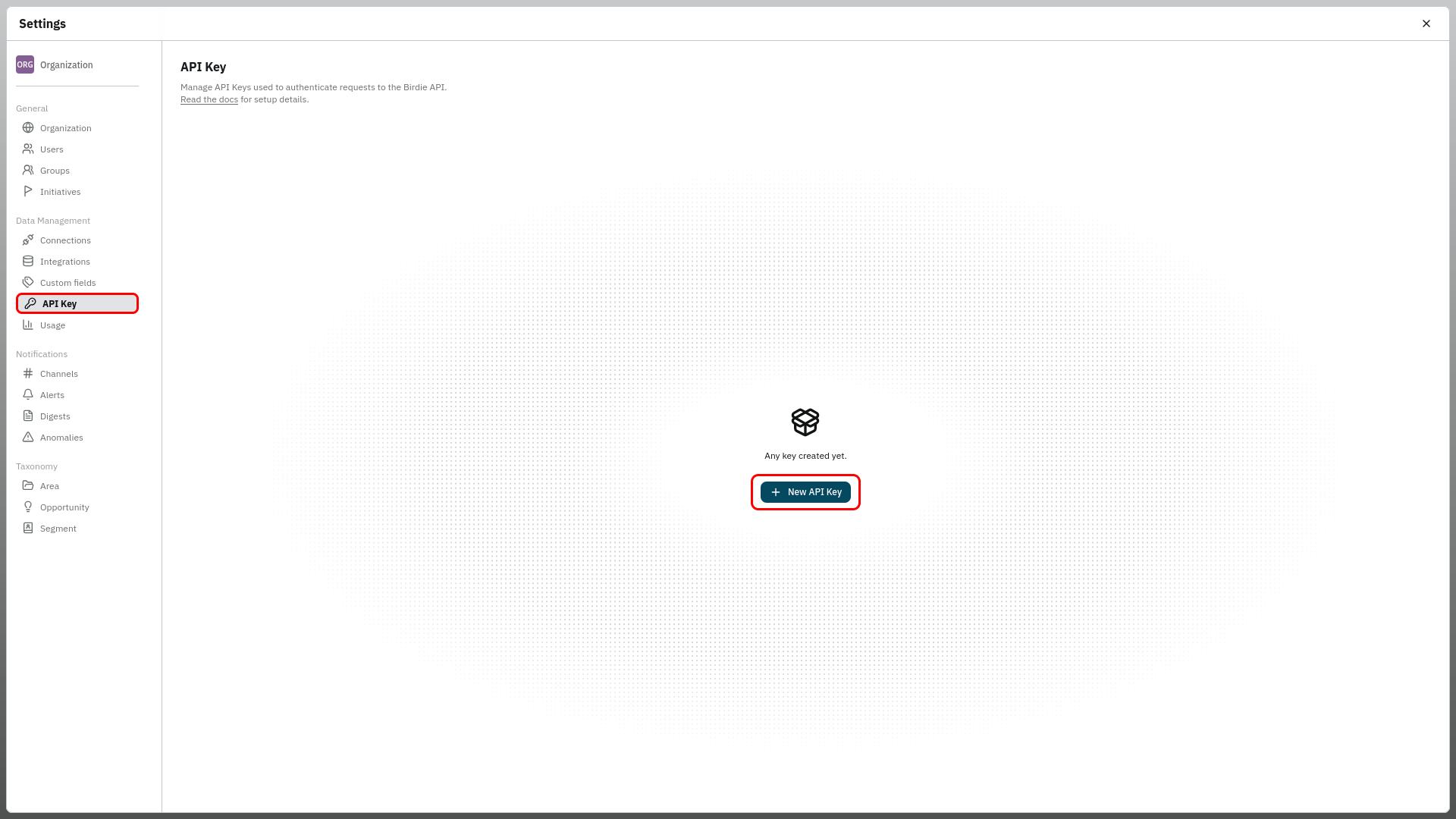
#### Access the API Key Tab
* From the side navigation menu, select **Data Management > API Key**, or you can also go directly to the page using [this link](https://app.birdie.ai/settings/api-keys).
* Click the "**New API Key**" button.
{% hint style="info" %}
If your organization already has keys, the "**New API Key**" button is in the top right corner of the page instead of the center.
{% endhint %}
{% endstep %}
{% step %}
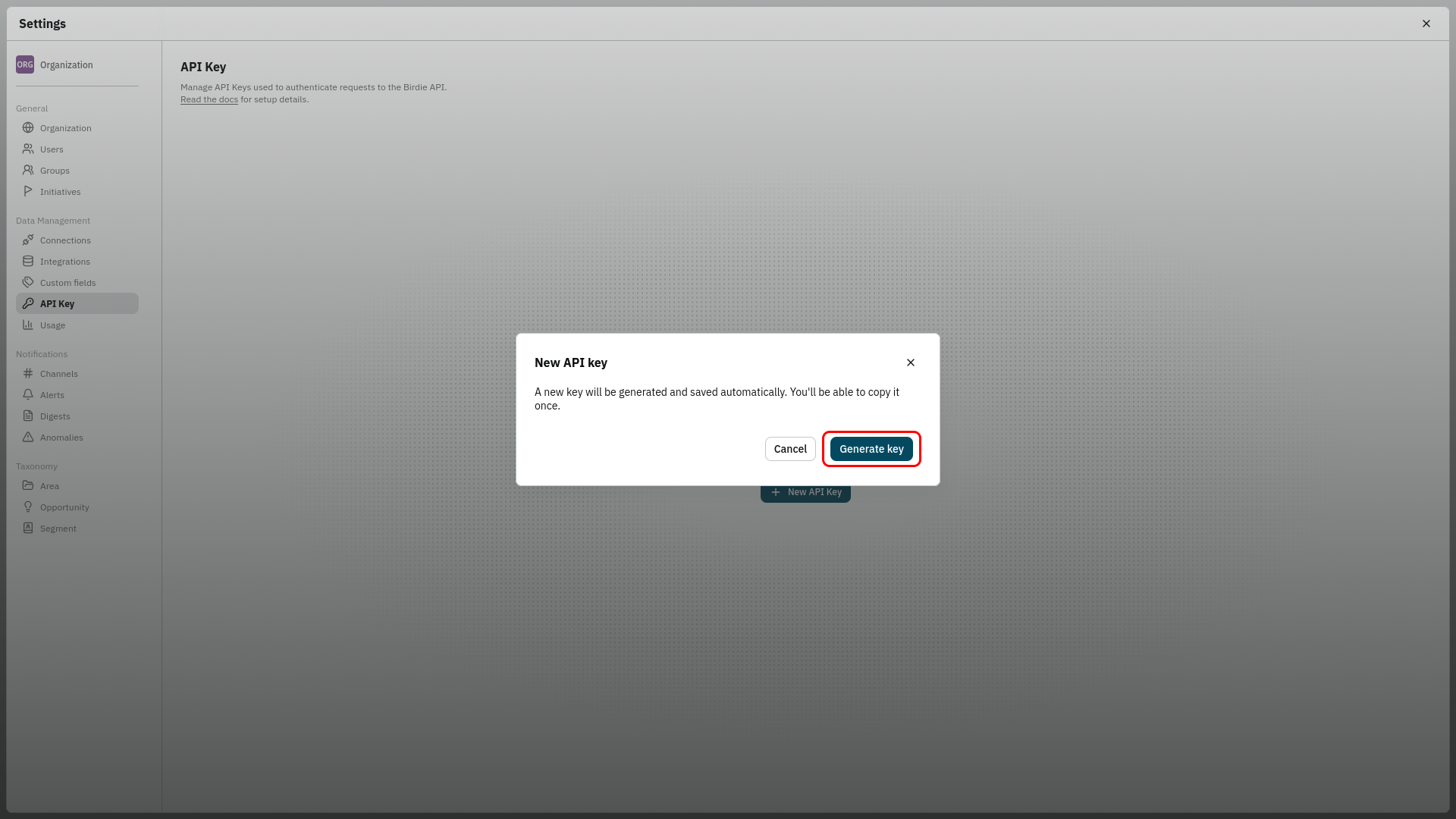
#### Generate the Key
* Confirm the creation by clicking "**Generate key**".
{% hint style="warning" %}
The key is generated and saved automatically, and you will be able to copy it **only once**. Make sure you have a secure place to store it before continuing.
{% endhint %}
{% endstep %}
{% step %}
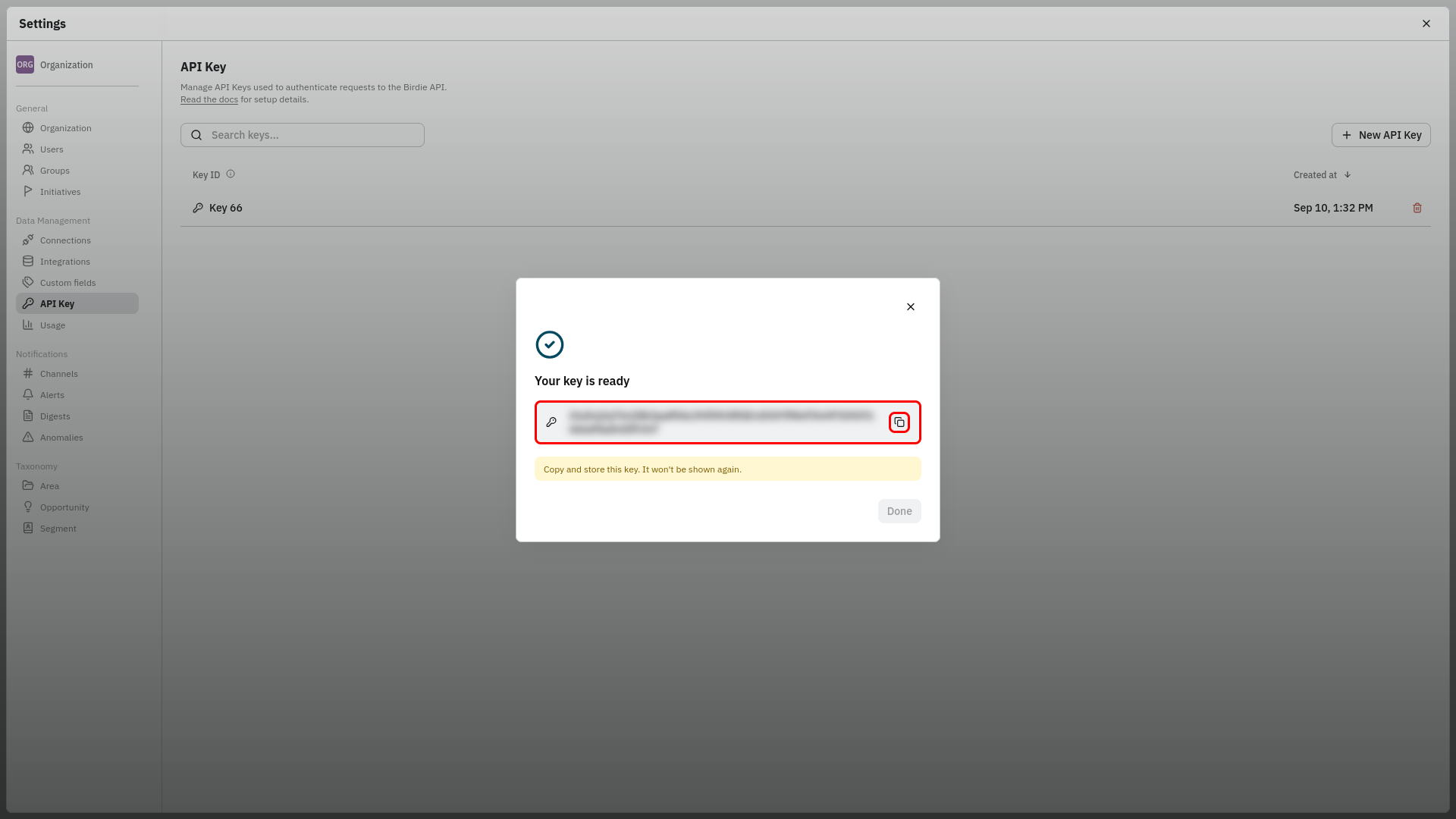
#### Copy and Store the Key
* Click the copy icon next to the generated key and store it in your secrets manager or password vault.
* Click "**Done**" to close the dialog.
{% hint style="danger" %}
Once you close this dialog, the key value cannot be retrieved again. If you lose it, you will need to delete the key and generate a new one.
{% endhint %}
{% endstep %}
{% endstepper %}
Your new key now appears in the **API Key** list, identified by its **Key ID** and creation date. The list shows only these identifiers, never the key value itself.
***
### Using Your API Key
Include the key in the `Authorization` header of every request to the Birdie API, in the form:
```
Authorization: ApiKey {api-key}
```
{% hint style="info" %}
For the full list of endpoints, payload formats and response codes, see the [Ingestion API](/integrations-and-data-ingestion/ingestion-api.md) article.
{% endhint %}
***
### Managing and Revoking Keys
* **Multiple keys:** You can keep several active keys at the same time, for example one per integration, so that revoking one does not interrupt the others.
* **Rotating a key:** To rotate without downtime, generate the new key first, update your integrations to use it, and only then delete the old one.
{% hint style="danger" %}
**Revoking a key:** Click the trash icon next to a key in the **API Key** list to delete it. The change is immediate and cannot be undone. Any request using that key will start returning `401 Unauthorized`, so confirm that no active integration still depends on it before removing it.
{% endhint %}
***
### ⚠️ Important Security Disclaimers
API keys grant access to your organization's data in Birdie. We recommend the following best practices:
* **Treat Keys as Passwords**: Store keys in a secrets manager or password vault. Never commit them to source control, hard-code them into applications, or embed them in client-side code.
* **Avoid Public Channels**: Never share your API keys via email, Slack, or support chat.
* **Credential Rotation**: Rotate your API keys periodically as part of your organization's standard security hygiene, and immediately whenever a key may have been exposed.
* **One Key per Integration**: Using a dedicated key for each integration limits the impact of a leak and lets you revoke access to a single system without affecting the others.
---
# Agent Instructions
This documentation is published with GitBook. GitBook is the documentation platform designed so that both humans and AI agents can read, navigate, and reason over technical content effectively. Learn more at gitbook.com.
## Querying This Documentation
If you need additional information that is not directly available in this page, you can query the documentation dynamically by asking a question.
Perform an HTTP GET request on the current page URL with the `ask` query parameter, and the optional `goal` query parameter:
```
GET https://ask.birdie.ai/integrations-and-data-ingestion/how-to-generate-an-api-key.md?ask=&goal=
```
`ask` is the immediate question: it should be specific, self-contained, and written in natural language.
`goal` is optional and describes the broader end goal you are ultimately trying to accomplish on behalf of the user. GitBook uses it to tailor the answer towards what is most useful for that goal.
The response will contain a direct answer to the question and relevant excerpts and sources from the documentation.
Use this mechanism when the answer is not explicitly present in the current page, you need clarification or additional context, or you want to retrieve related documentation sections.