Blip
Overview
Birdie's Blip integration enables users to import chat history from your Blip account. Below are the key steps to set up the integration so Birdie can pull data from your environment.
Requirements
Requirements
Our integration uses the Blip REST API to pull in chat threads from your chat bot.
To get started, you'll need a Blip Environment with a chat bot configured.
Setup in Blip
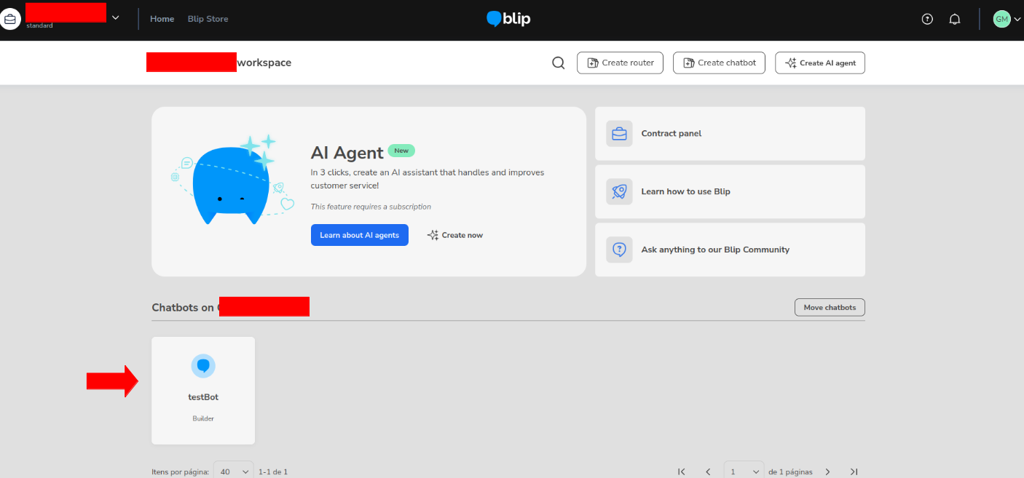
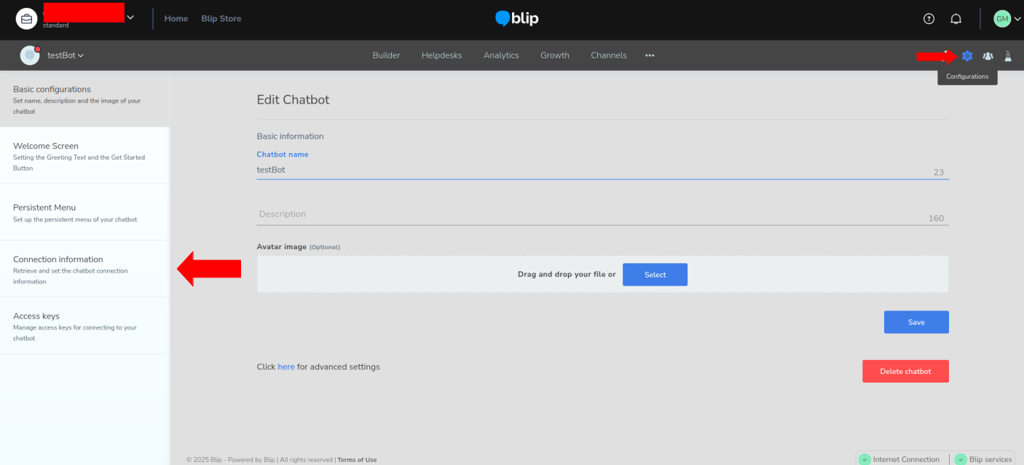
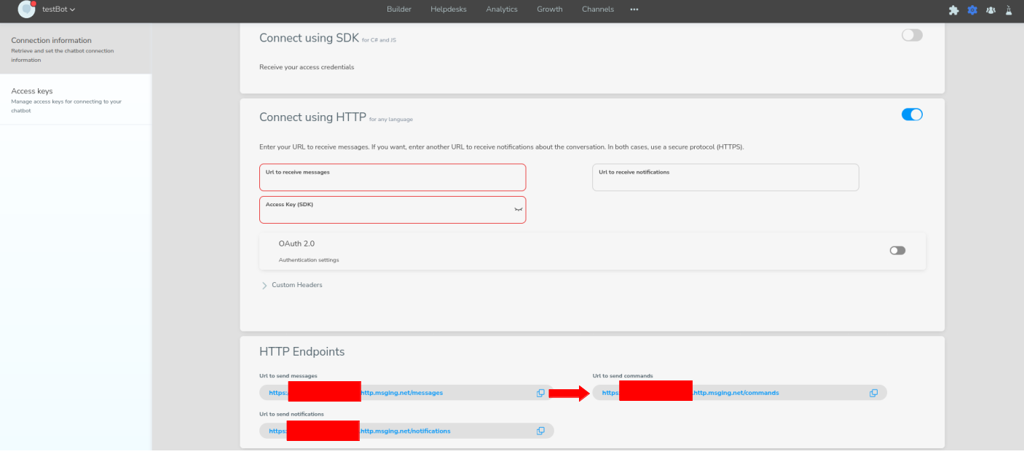
Create an API Key
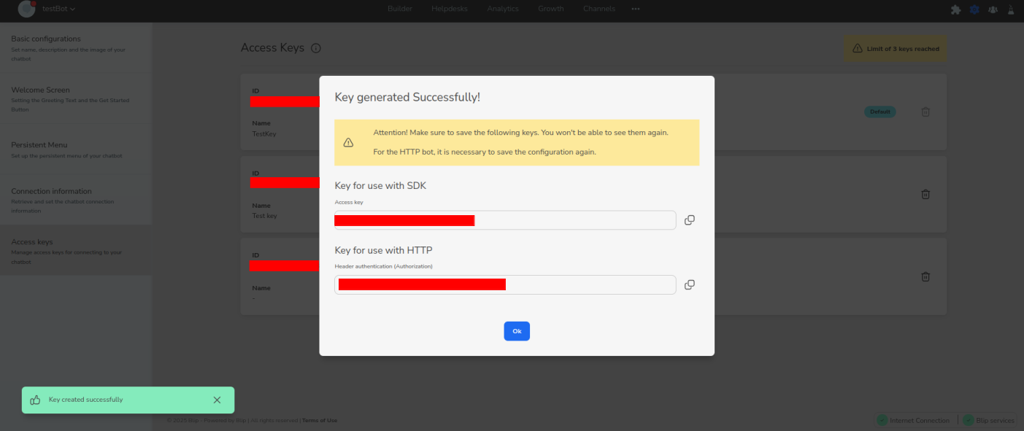
On the left hand side click on the Access Keys section.
Click the button to create a new key and fill in the name for it (e.g., "Birdie integration").
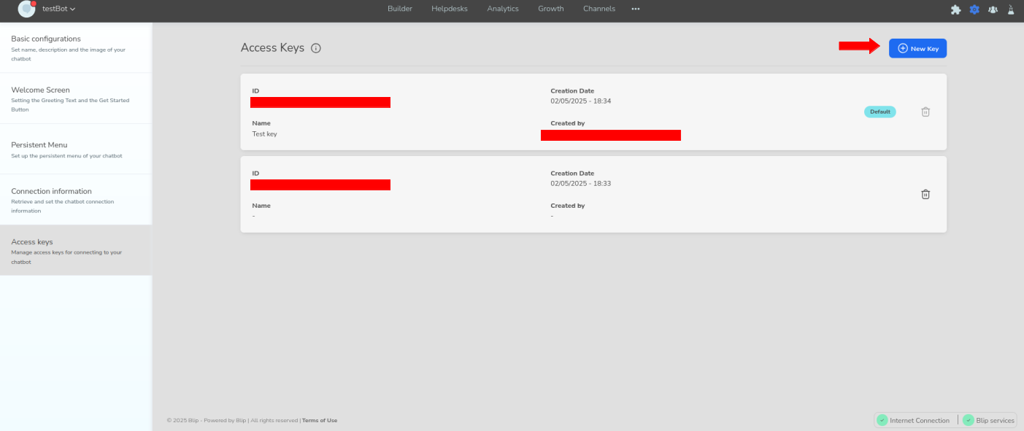
Once created, a page with the secret values for the key will be displayed. Copy the Key for use with HTTP and send it to the Birdie team.
Connect to Birdie
After you've followed the steps above, send the Birdie team the following information:
HTTP URL for sending commands
API Key for use with HTTP
Share API keys, tokens, client secrets, and other credentials with Birdie only via a secure, one-time channel (for example, One Time Secret) or your company-approved secret-sharing tool. Avoid email or chat whenever possible.
Data in scope
Once configured, Birdie imports chat threads and messages exposed by the Blip REST API for the bot you connected. This allows you to analyze conversations from that bot inside Birdie alongside your other feedback sources.
Last updated