Mixpanel (Cohort Sync)
Overview
The Mixpanel integration for Birdie is a push connector that can be used to process webhook requests from a Cohorts integration configured in Mixpanel. It works by receiving requests from Mixpanel with incremental syncs of updates to your cohorts. Birdie will store this information and consolidate it into a single record so you can use your Cohorts as filters for data within Birdie.
Requirements
A Mixpanel account with Cohorts configured. You need at least one cohort, but you can configure more than one and Birdie will consolidate them for the user.
An API Key from Birdie to set up the integration (reach out and Birdie will provide you with one).
A field that can be matched to your feedbacks within Birdie. It's important for your cohort exports to contain at least one field that also exists within the Birdie feedbacks so Birdie can match them.
Setup in Mixpanel
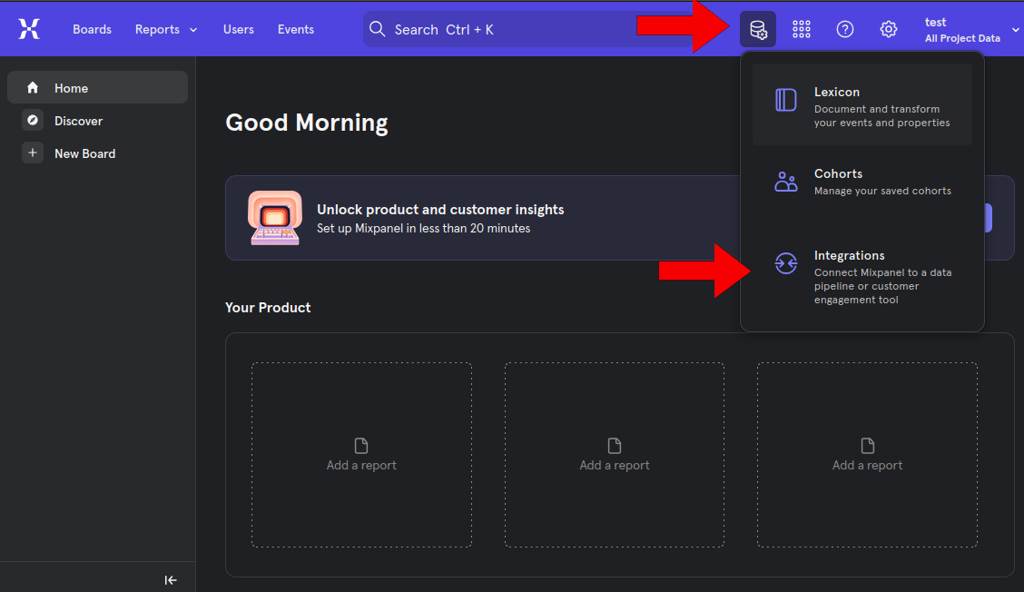
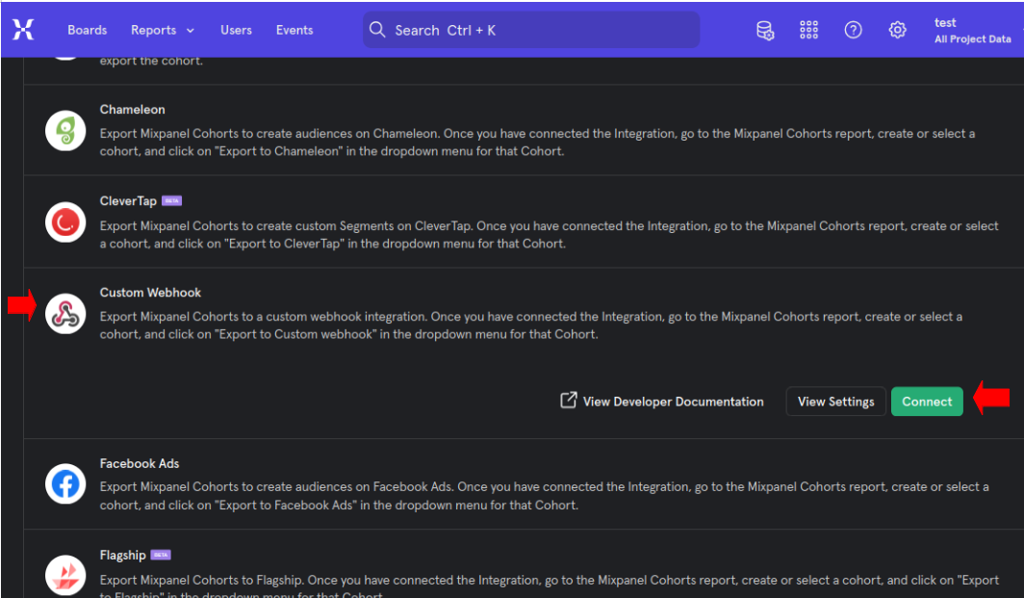
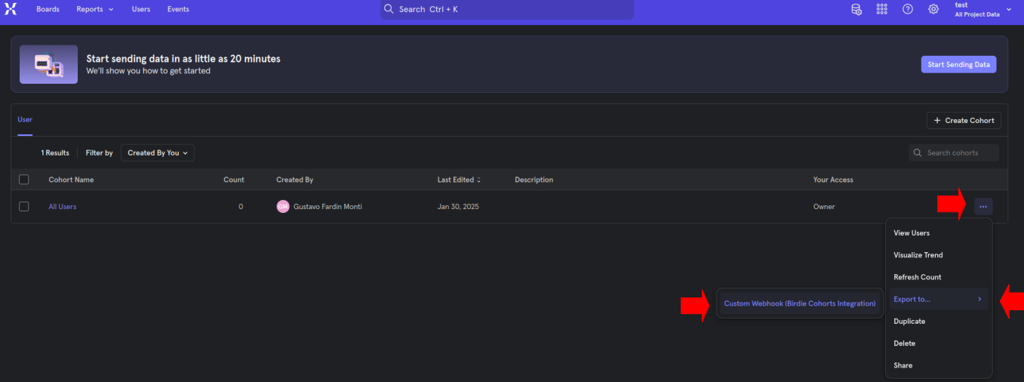
Configure the export
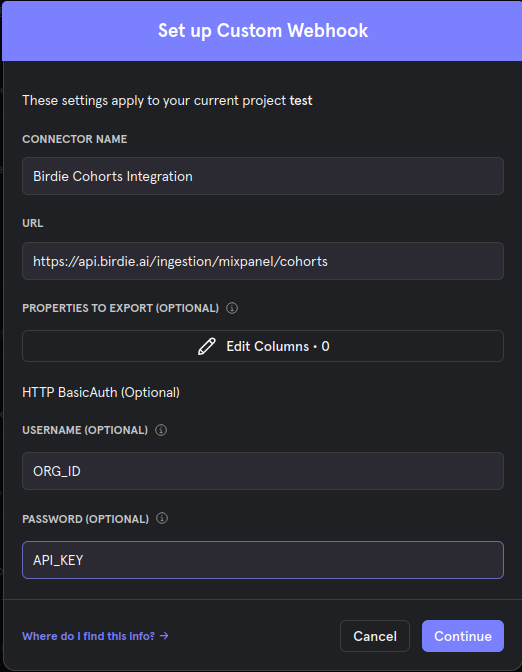
This brings up an export configuration screen. Replace the Organization ID and the API Key with the values Birdie provided to you. Use the same URL shown in the screen, and choose any name you prefer. You can also include additional fields with the Cohort export; Birdie can use them if you need custom matching logic to match your feedbacks to your cohorts. Hit Continue to finalize the setup.
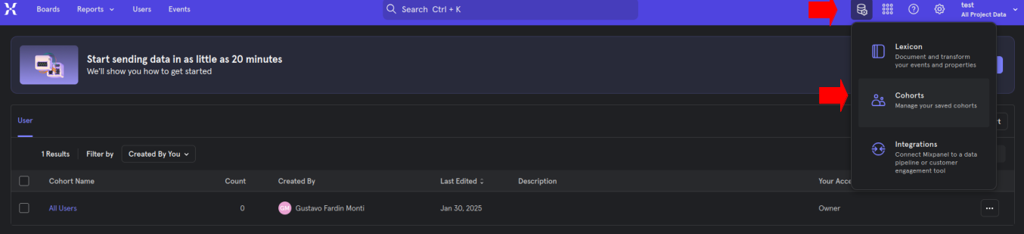
Choose recurring export and verify
When prompted, select if the integration is a one-time export or recurring. Select recurring and continue. The integration may take a few minutes (normally up to ~30 minutes) to run — check the integration status to confirm it ran.
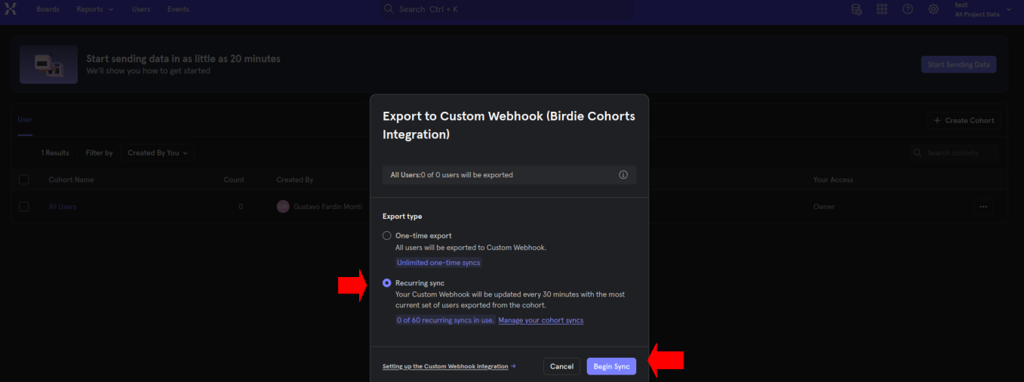
Once complete, you can check existing cohort exports or set up new ones.
Connect to Birdie
When you configure the Custom Webhook Integration, Mixpanel sends cohort updates to the Birdie ingestion endpoint using the Organization ID and API Key provided by Birdie. No additional action is required after the initial setup.
Data in scope
This connector ingests incremental cohort membership updates (adds and removals) from Mixpanel for the cohorts you configure to export, and consolidates them per user so they can be used as filters within Birdie.
Last updated